Komosion Policy Support Update.

Komosion Policy
Support request pricing update
September 22, 2020

In order to better manage support requests, Komosion has introduced some minor changes to its support hours pricing policy, effective from September 1, 2020, for FY21.
- We now have a minimum 2 hours spend for ad hoc support requests.
- Clients requesting support hours over and above their contracted hours may purchase 10 or 20 hour blocks, from which we will deduct both agency and development time.
- We recognise that 20 hours may be too much for some clients, so we have decided to introduce a 10 hour option – discounts for bulk purchase of hours are set out in the table above.
- Drupal development and hosting is more expensive than WordPress because of the complexity of the code base and cost of developers.
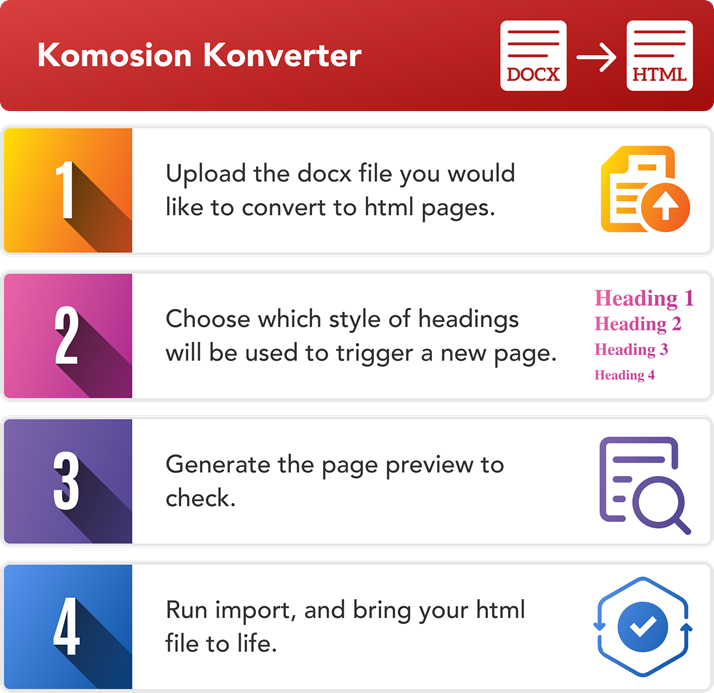
- Support requests should be logged through the Komosion Help Desk How to Sign Up to the Komosion Help Desk
- Go to this link: https://hicaliber.atlassian.net/servicedesk/customer/portal/9
- Hit the sign up button, next to: Need an account?
- Fill in your desired email and press the Send link – this will then send an email to your email’s inbox.
- In your email inbox, there should be an email titled: Finish signing up to The Help Centre
- Inside the email there should be a blue button titled: “Sign up”. Click on that.
- This will open a new tab that asks you to type in your name and desired password. Once you have done that, press “Sign up”.
- This should automatically sign you in. Once you’re signed in, you can go to this link: https://hicaliber.atlassian.net/servicedesk/customer/portals
- Click on Komosion Help Desk
- and submit a ticket